
Set up your pose wheel
Choose the poses and colours — tap the wheel on the right to try it. Then send it to the tablet in step 4.
Planning the photos?
Want a proper photo booth to go with it?
Selfie Photo Wizard, from Mobile Disco Network, brings the booth, props and instant prints to weddings and parties across Norfolk, Suffolk, Cambridgeshire and Lincolnshire.
Rather talk it through? Call Tim on 07796 565918 or 01760 722283, or message him on WhatsApp.
Rated 4.9 out of 5 from more than 250 reviews · Norfolk’s Only Trading Standards Approved DJ
Your plan and your date
Enter your details once for every tool. They’re kept only in your browser.
Keep a copy
Is Tim free on your date?
Tim plays every booking himself, so dates go quickly. Pick your date and he’ll check his diary and reply.
Next stepWedding group photo list builder
Quick guide
How to set up your photo booth pose ideas wheel
- Enter the words for the top and bottom of the screen.
- Untick any poses you do not want and add your own, one per line.
- Choose the theme, countdown, sounds and no-repeat options.
- Scan the QR code or use Copy the link on the tablet, then tap Start to go full screen.
What it does
- Six pose lists plus your own
- Five colour themes and optional countdown
- Spin sounds and no-repeat option
- Share by link, QR code, WhatsApp or email
- Full-screen mode that keeps the screen awake
- Works without Wi-Fi once opened
Use it with
- Photo Booth Props Maker – print your own photo booth props: moustaches, lips, glasses, crowns and hats, plus speech bubbles and signs with your own words
- Photo Group Shot List Builder – add your family and wedding party to get suggested group photo combinations, build an ordered shot list and see roughly how long it will take
- Social Media Moments Shot List – a tick-off list of 23 party photo and video moments in five groups, to hand to a friend so the best bits get captured
- Signs Pack Maker – pick a ready-made pack of event signs for a wedding, party or Christmas do, edit the wording and download them in one matching design
Questions
Photo Booth Pose Wheel: common questions
What is the pose wheel for?
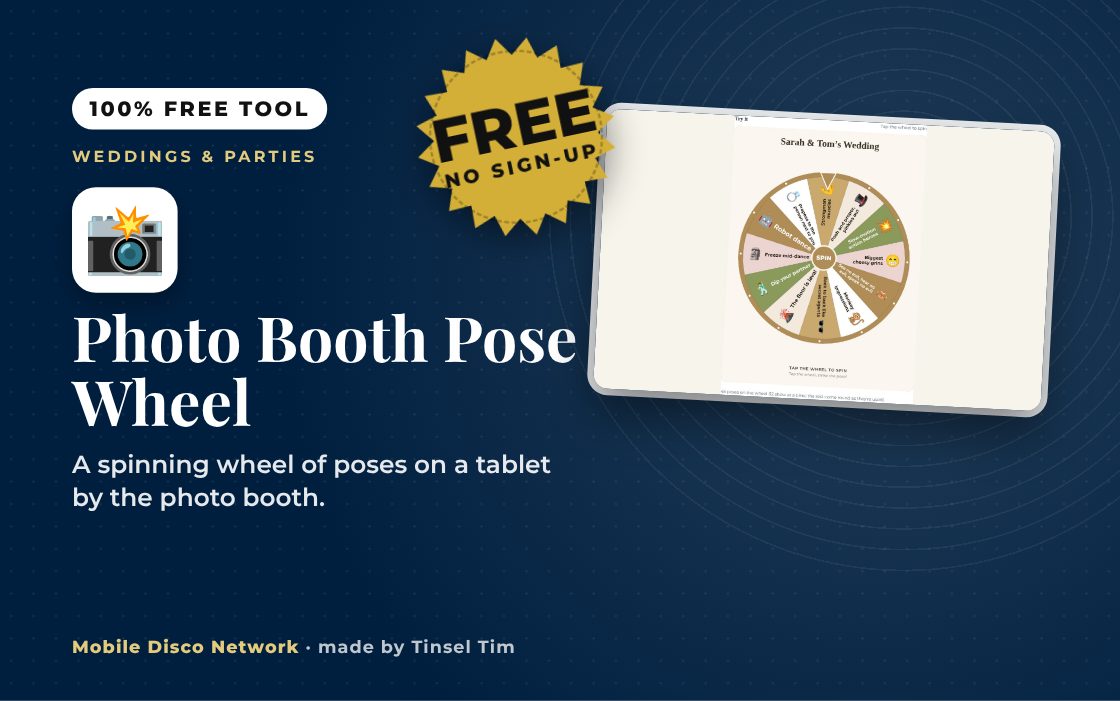
It gives photo booth guests a prompt when they are stuck for a pose. You put it on a tablet beside the booth, guests tap to spin, and they strike whatever it lands on. There are classic, silly, wedding, party, kids and couples and family poses, and you can add your own, so it suits weddings, birthdays and family events.
How do I get the wheel onto the tablet?
Step 4 gives you a link that holds your whole wheel. Scan the QR code with the tablet's camera, or send the link by copy, share, WhatsApp or email. Open it on the tablet and tap Start to go full screen. To exit, press and hold the small cross in the corner for two seconds.
Is my wheel stored on a server?
No. Your settings are saved in your browser's local storage on the device you set it up on, and the shareable link carries the wheel inside the part after the hash, which is not sent to the website. The QR code is drawn on the page itself. Anyone you send the link to can open the same wheel.
Where should the tablet go at the booth?
Stand it in a holder at eye level beside the booth so guests see it as they step in, and turn the brightness up. Plug it in if you can for a long evening. On an iPad, Guided Access can lock it to the one screen so guests cannot wander into other apps.
Tim’s tip
Keep the poses quick and easy so the queue keeps moving. One or two that get a group all in the frame together usually give the best photos of the night.

Made by Tim Daymond (Tinsel Tim). Tim has been a DJ since 1976 and has run Mobile Disco Network since 2013. He plays weddings and parties across Norfolk, Suffolk, Cambridgeshire and Lincolnshire. He is a Norfolk County Council Trading Standards Trusted Trader (ID 0000457), a member of the NADJ and the winner of 23 independent awards.
Why choose Tim · Awards · Reviews
Your privacy: this tool runs in your browser. Nothing you type is sent to Mobile Disco Network or stored on a server. Your work is saved in this browser only, so it is there when you come back; clearing your browser data removes it.
Free to use, no sign-up. Last reviewed 11 October 2026.
Did this help?
Leave Tim a review
If this tool helped with your celebration planning, we’d love a quick review — whether you’ve booked Tim or not. It helps him keep this toolbox free and build more tools like it.
Leave a review →Want a real photo booth too? Check your date for Tim’s Selfie Photo Wizard. Check your date → WhatsApp Tim