
Make your wedding page for guests
Fill in what your guests need to know. Leave anything blank and it simply won't show. The page on the right is what your guests see.
1 The basics
2 Where and when
3 Good to know
4 How guests reply
Replies go straight to you on WhatsApp or by email. Nothing passes through us. Only add a number or email you are happy for guests to see.
Planning your wedding?
Got the venue and the date? Book the DJ next.
Tinsel Tim plays every wedding himself, plans the music with you and keeps the dance floor full. Weddings across Norfolk, Suffolk, Cambridgeshire and Lincolnshire.
Rather talk it through? Call Tim on 07796 565918 or 01760 722283, or message him on WhatsApp.
Rated 4.9 out of 5 from more than 250 reviews · Norfolk’s Only Trading Standards Approved DJ
Your plan and your date
Enter your details once for every tool. They’re kept only in your browser.
Keep a copy
Is Tim free on your date?
Tim plays every booking himself, so dates go quickly. Pick your date and he’ll check his diary and reply.
Next stepWedding guest accommodation finder
Quick guide
How to make your free wedding website
- Add your names, date and the times and venues for the day.
- Fill in the details your guests need. Anything left blank won't show.
- Add a WhatsApp number or email so guests can reply to you.
- Copy the link, send it on WhatsApp or print the QR code on your invitations.
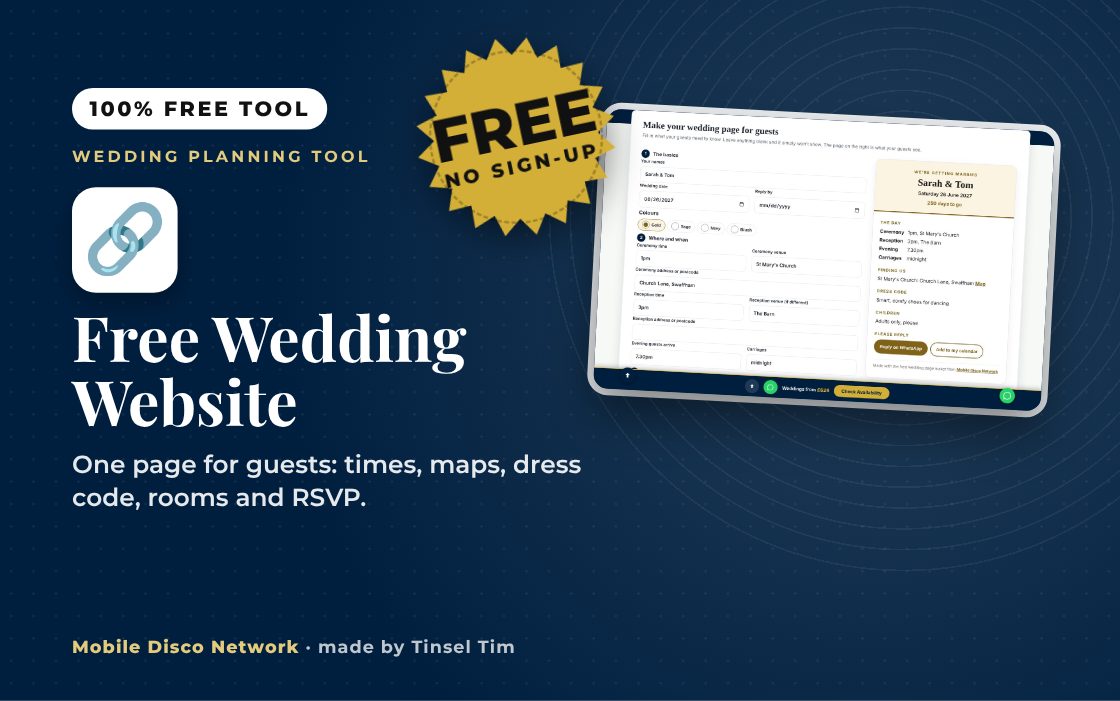
What it does
- Times and venues, with a map link for each address
- Dress code, children, parking, places to stay and gifts
- Guests reply to you on WhatsApp or by email
- Add to calendar button for guests
- QR code to print on your invitations
- No sign-up, no hosting and no fees
Use it with
- Buffet Food Label Maker – print folding buffet labels for each dish with its name, description, vegetarian and vegan badges and the 14 UK allergens marked
- Seating Plan Builder – add tables and guests, drag or tap guests onto tables, and get a warning if two people you want kept apart end up seated together
- Signs Pack Maker – pick a ready-made pack of event signs for a wedding, party or Christmas do, edit the wording and download them in one matching design
- Accessible Wedding Checklist – plan for guests who need a little extra care. Tick what matters and get questions for your venue and a note for your DJ
Planning tips
What to put on your wedding website
The questions guests always ask
Guests most often ask about times, parking, where to stay, the dress code and whether children are invited. Answer those on your page and you will get far fewer messages in the last few weeks.
Day and evening guests
If you have evening guests, either make a second page with just the evening details, or make it clear on one page which times apply to whom.
Keep it short
A few clear lines under each heading work better than long paragraphs, especially on a phone. It also keeps the QR code small enough to scan easily.
Questions
Free Wedding Website: common questions
Is this a real wedding website?
Yes, it is a one-page website for your wedding. The whole page is stored inside its link, so there is nothing to host, no account and no fee. Anyone with the link sees your page, with a map, an add to calendar button and a way to reply.
How do guests reply?
Guests press Reply on WhatsApp or Reply by email, and a message to you opens with spaces for their names, whether they are coming and any dietary needs. Replies come straight to you, not to us.
Can I change the page after sending it?
Yes. Your page saves in this browser, so come back, make your changes and send the new link. Guests with the old link will still see the old version, so send the new one to everyone.
Can I put a QR code on my invitations?
Yes. Once your names and date are in, a QR code appears. Download it and add it to your invitations or save-the-dates. Keep the longer boxes short, as a page with a lot of text makes the code too big.
Is my information private?
Your details are only in the link and in your own browser. Nothing is sent to or kept by Mobile Disco Network. Anyone you send the link to can see the page, so only share it with your guests.
Tim’s tip
Put the evening start time and the carriages time on your page. Those two are the questions I hear most from guests on the night.

Made by Tim Daymond (Tinsel Tim). Tim has been a DJ since 1976 and has run Mobile Disco Network since 2013. He plays weddings and parties across Norfolk, Suffolk, Cambridgeshire and Lincolnshire. He is a Norfolk County Council Trading Standards Trusted Trader (ID 0000457), a member of the NADJ and the winner of 23 independent awards.
Why choose Tim · Awards · Reviews
Your privacy: this tool runs in your browser. Nothing you type is sent to Mobile Disco Network or stored on a server. Your work is saved in this browser only, so it is there when you come back. Clearing your browser data removes it. Email buttons only open your own email app, and nothing is sent until you press send.
Free to use, no sign-up. Last reviewed 11 October 2026.
Did this help?
Leave Tim a review
If this tool helped with your celebration planning, we’d love a quick review — whether you’ve booked Tim or not. It helps him keep this toolbox free and build more tools like it.
Leave a review →Planning the big day? Check Tinsel Tim is free on your wedding date. Check your date → WhatsApp Tim